Instructions
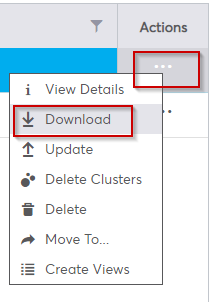
To do this go to the data tab > click on your file > click on the "..." in the "Action" column > click on "download".
Some data will be downloaded as a .zip file
![cartovista-logo (1).png]](https://knowledge.cartovista.com/hs-fs/hubfs/cartovista-logo%20(1).png?height=40&name=cartovista-logo%20(1).png)
To do this go to the data tab > click on your file > click on the "..." in the "Action" column > click on "download".
Some data will be downloaded as a .zip file